ONLYOFFICE DocSpace integration for WordPress: bring secure document sharing and collaboration to your website
Managing documents on a WordPress website often means relying on file downloads and email attachments. This approach can decrease productivity, create version confusion and make collaboration harder than it should be. The ONLYOFFICE DocSpace integration for WordPress offers a more efficient way to work with documents directly from your site, combining content management for external visitors with secure internal collaboration for your team.
Whether you run a company website, a client portal, an educational platform or a membership-based business, this integration helps turn WordPress into a more productive document-sharing and co-editing environment.
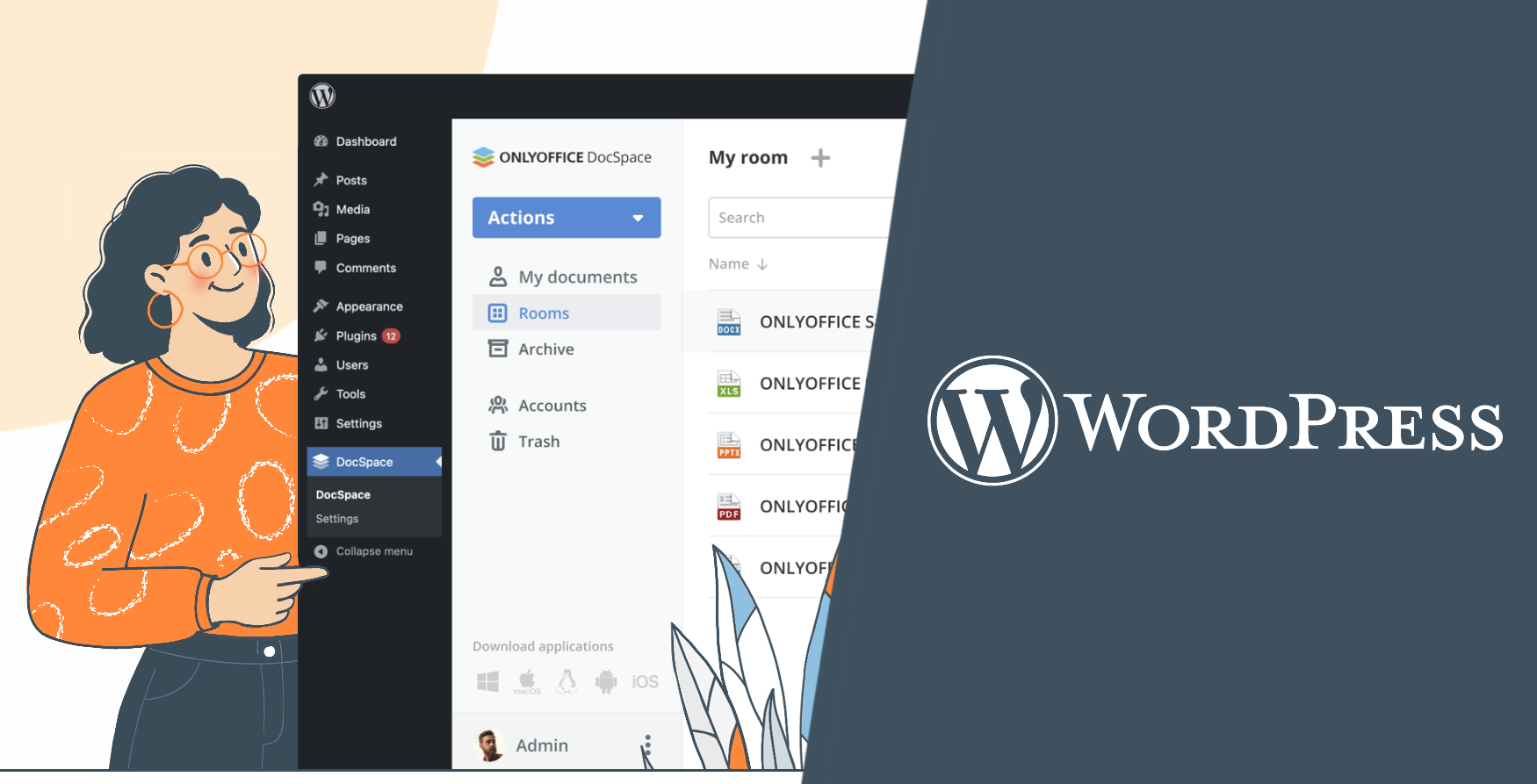
What is the ONLYOFFICE DocSpace and WordPress integration?
The ONLYOFFICE DocSpace and WordPress integration allows you to embed rooms and files from ONLYOFFICE DocSpace into your WordPress website. This gives visitors, team members, clients or partners access to documents and collaborative spaces without forcing you to manage everything through multiple tools.
With this integration, WordPress becomes more than a publishing platform. It also becomes a gateway to structured document collaboration, where users can view, edit, share and collaborate on files in real time in a secure and organized way.
Why this integration makes a difference
WordPress powers a huge share of the web, but native document editing tools are not part of its core strengths. Teams and businesses often need more than just file upload and download capabilities. They usually need the following features:
- Real-time document collaboration and editing;
- Controlled access to sensitive files;
- Organized spaces for team members and external users;
- Easier content and document delivery through a familiar interface.
ONLYOFFICE DocSpace fills this gap by connecting your WordPress site with a dedicated collaboration environment for documents, spreadsheets, fillable forms, presentations and PDFs.
Key features and benefits
When integrated with your WordPress website, ONLYOFFICE DocSpace provides numerous benefits for both external visitors and the members of your team. Let’s dive into what DocSpace brings to the platform.
1. Embed and share docs, sheets, slides and PDFs
One of the biggest advantages of the integration is the ability to embed documents, spreadsheets, presentations and PDFs into WordPress pages, allowing visitors to easily access them in their browser without the need for manual download.
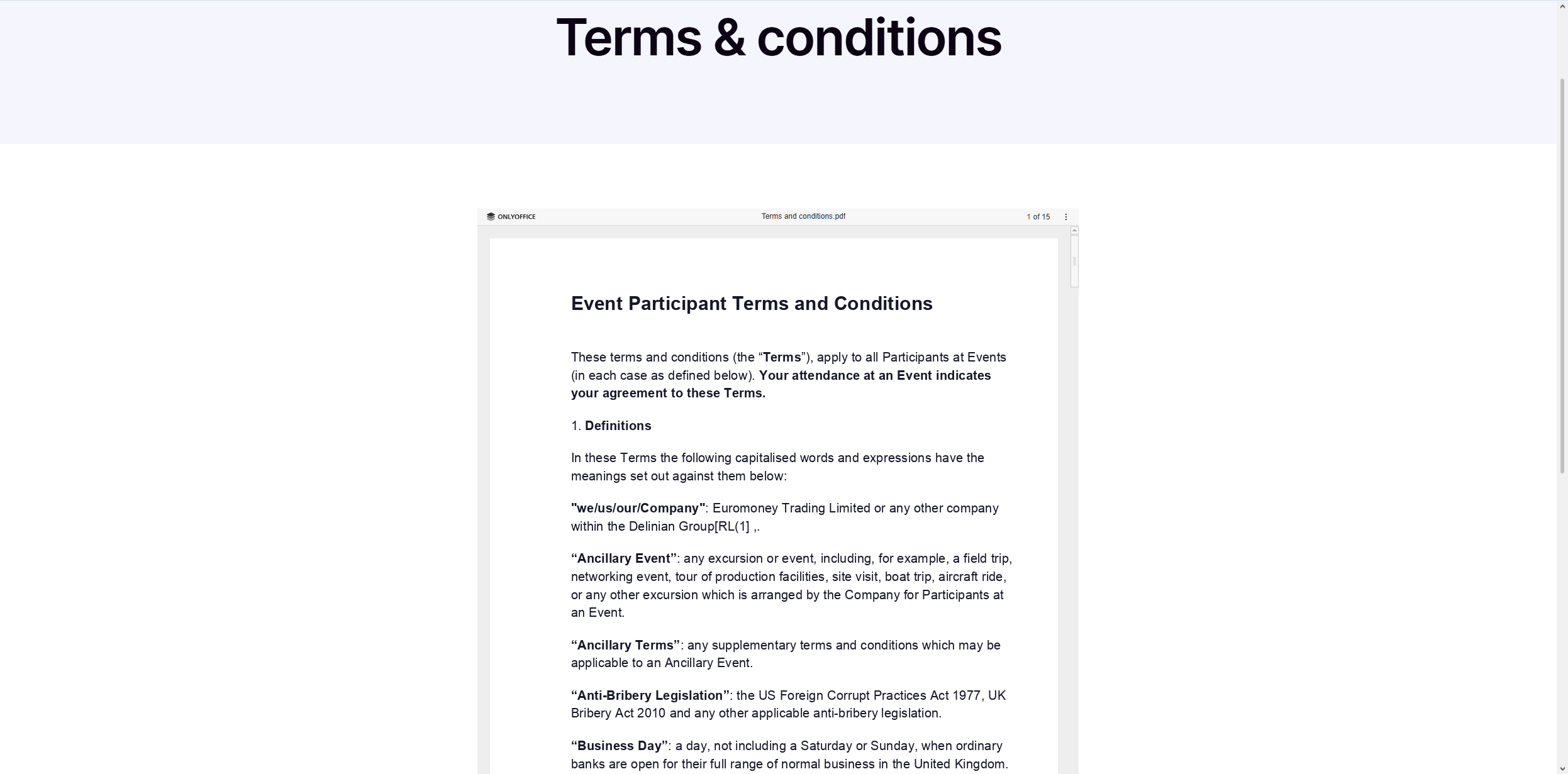
When viewing embedded content on your WordPress website, visitors can download or print it. However, you can disable these options if you need more privacy for your documents.
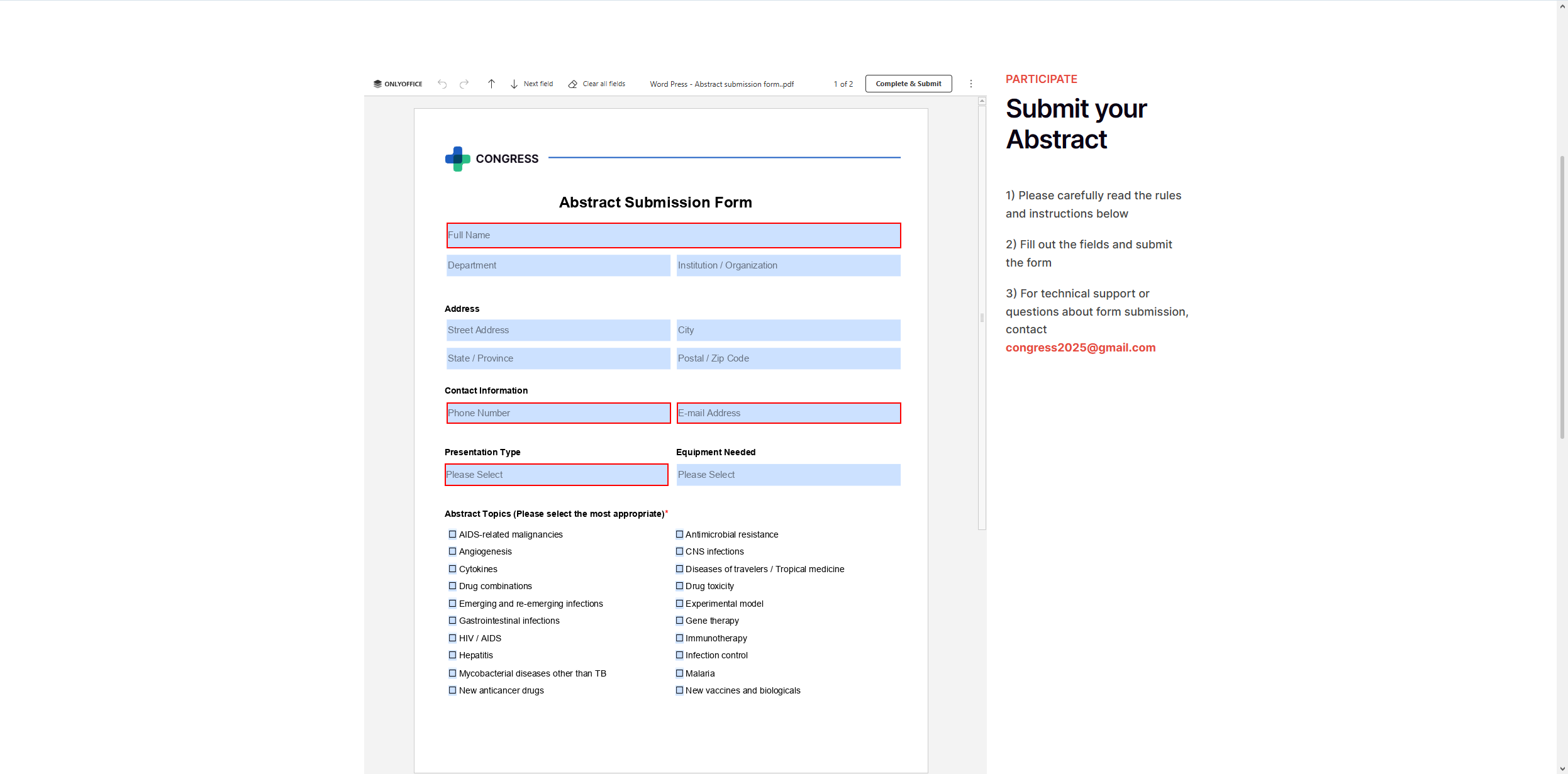
2. Automatically collect data via embedded PDF forms
DocSpace also allows you to embed fillable PDF forms into the pages of your website. Embedded forms are an easy way to collect data automatically and work great for surveys, questionnaires, registration processes and feedback collection. Visitors just need to fill out the required fields in their browser and click the Collect and Submit button. All data will be collected in a separate spreadsheet in your DocSpace for further analysis and processing.
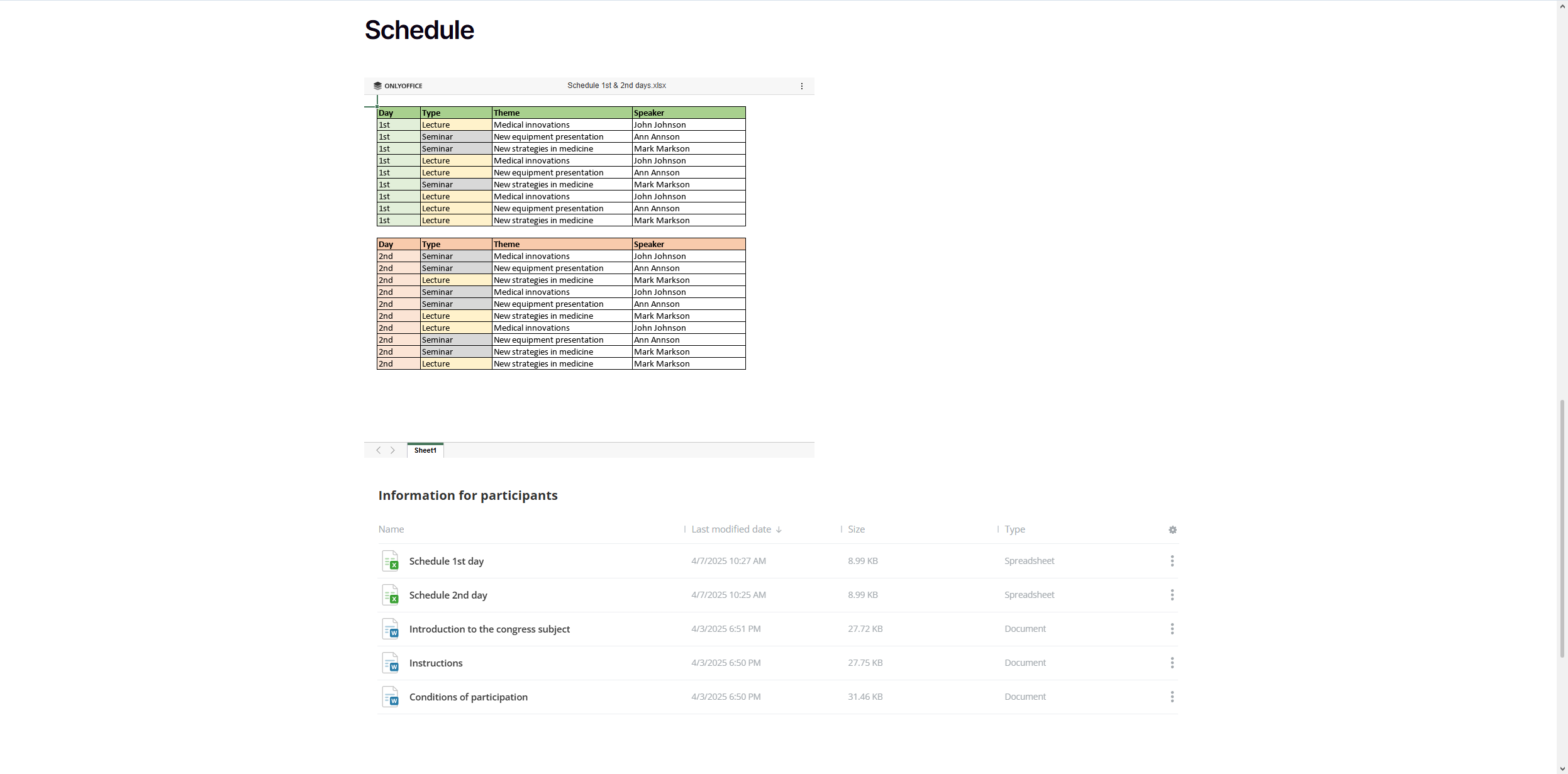
3. Share content by embedding entire DocSpace rooms
Another useful feature is that DocSpace rooms directly integrate into WordPress pages and posts. This means visitors can access a dedicated space within your website and view various documents, spreadsheets, presentations, forms, PDFs and even media files. This makes content sharing easier, providing a more seamless user experience.
4. Create a secure storage environment for your files
The ONLYOFFICE DocSpace and WordPress integration offers much more than dealing with external users and visitors to your website. As a room-based document sharing and collaboration platform, DocSpace allows you to create a centralized storage hub where you can keep and manage your office files, including audio files, images, videos and e-books.
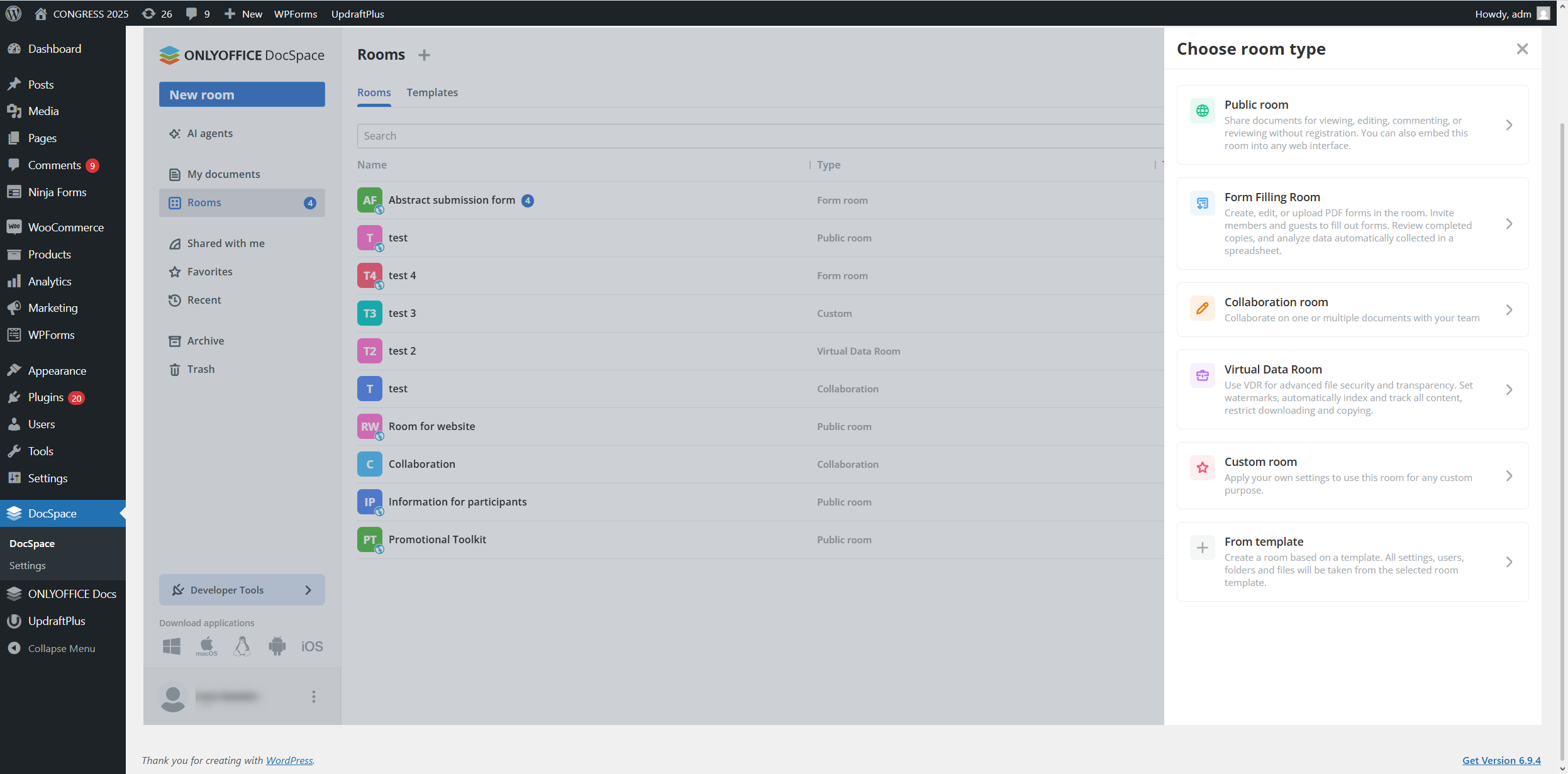
Within your DocSpace, you can create various room types depending on your needs:
- Collaboration rooms are designed for real-time document co-editing with the members of your team.
- Public rooms are ideal for sharing content with people who don’t belong to your team, e.g. collaborators, partners, third parties, customers, etc.
- Custom rooms provide sophisticated access settings, allowing you to adapt them for any use case scenario, whether it be reviewing or commenting.
- Form-filling rooms work best if you need to automate data collection processes in your team, making it easier to fill out forms online and gather data in separate spreadsheets.
- Virtual data rooms (VDR) are the best choice when you work with confidential documents. Automatic indexing, summary reports, watermarks and advanced security options guarantee the highest level of data privacy.
5. Collaborate on documents in real time
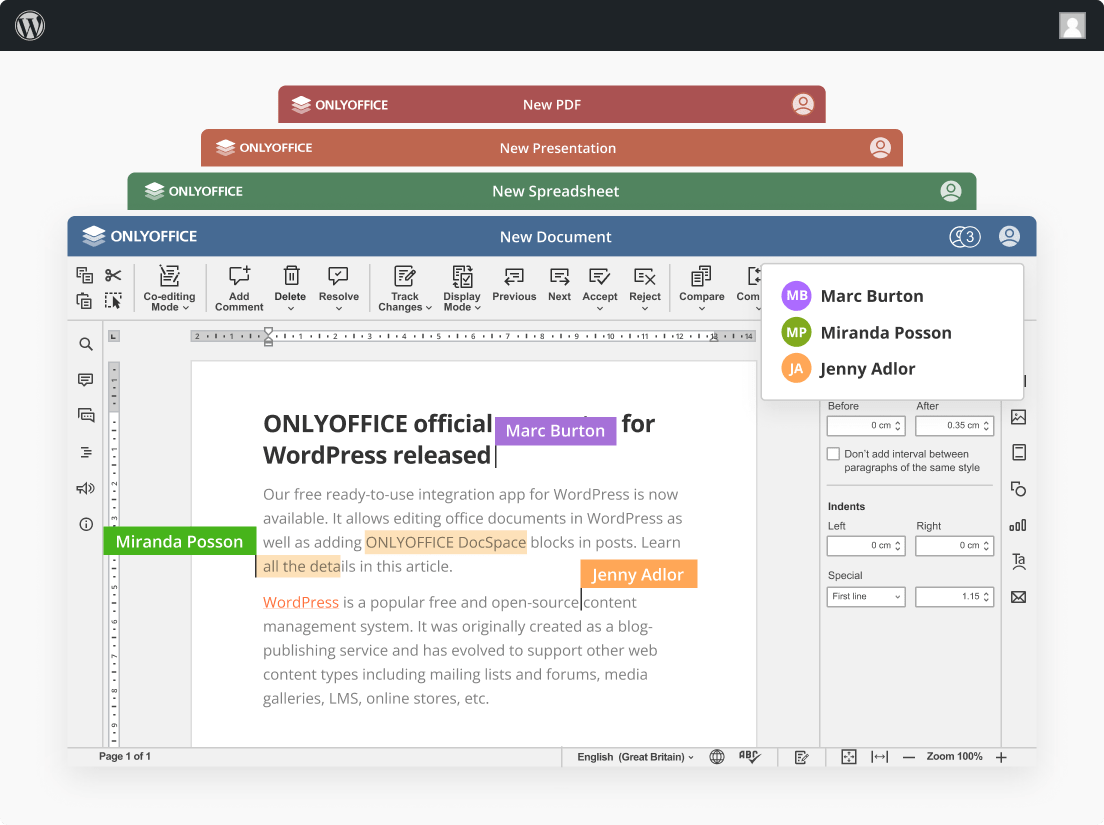
ONLYOFFICE DocSpace is known for its powerful online editors, and this advantage is available within the integration. WordPress admins can collaborate on documents in real time, making it easier to draft contracts, update reports, review proposals or refine internal documentation together.
The built-in office suite natively supports Word, Excel and PowerPoint files, and is compatible with more than 60 popular file formats, including Apple iWork’s, Hancom Office’s and LibreOffice’s formats.
Real-time collaboration is possible due to tools, like Fast and Strict co-editing modes, version history and control, tracking changes, comments, user mention and online communication, allowing WordPress teams to work faster while keeping everyone aligned.
6. Invite other people for collaboration
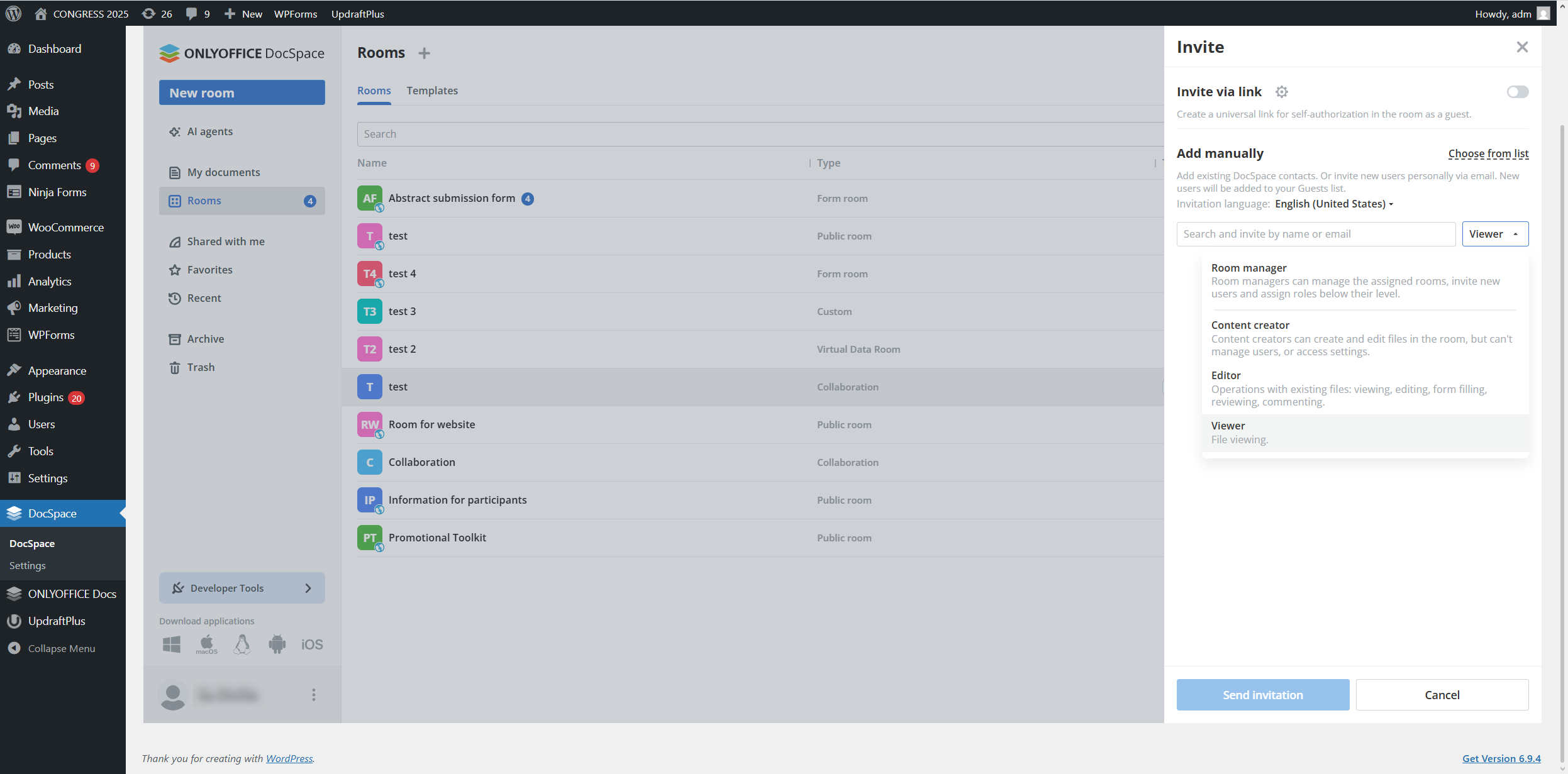
The built-in DocSpace allows you to collaborate not only with other WordPress admins but also with other people. You can always invite those who you would like to work with, allowing them to have access to certain rooms, view content, edit documents, leave comments only or suggest changes during the review process. Flexible access permissions and various user roles in DocSpace ensure that no unauthorized person can access your data.
7. Enable AI agents for better productivity
One of the core features of ONLYOFFICE DocSpace is the availability of AI agents. This functionality brings a new level of intelligent assistance directly into your daily WordPress tasks, helping you work faster and more productively.
Once you configure your AI agent, you can interact with it in a dedicated section, asking questions or describing what you need in natural language. This is what AI can do for you in DocSpace:
- Analyze files and improve them;
- Generate new text content;
- Search for information;
- Manage your DocSpace — organize files, structure rooms, add new users, etc.;
- Invite new collaborators.
DocSpace’s AI integration supports OpenAI, Google AI, DeepSeek, xAI, Anthropic, OpenRouter and other providers, including custom ones.
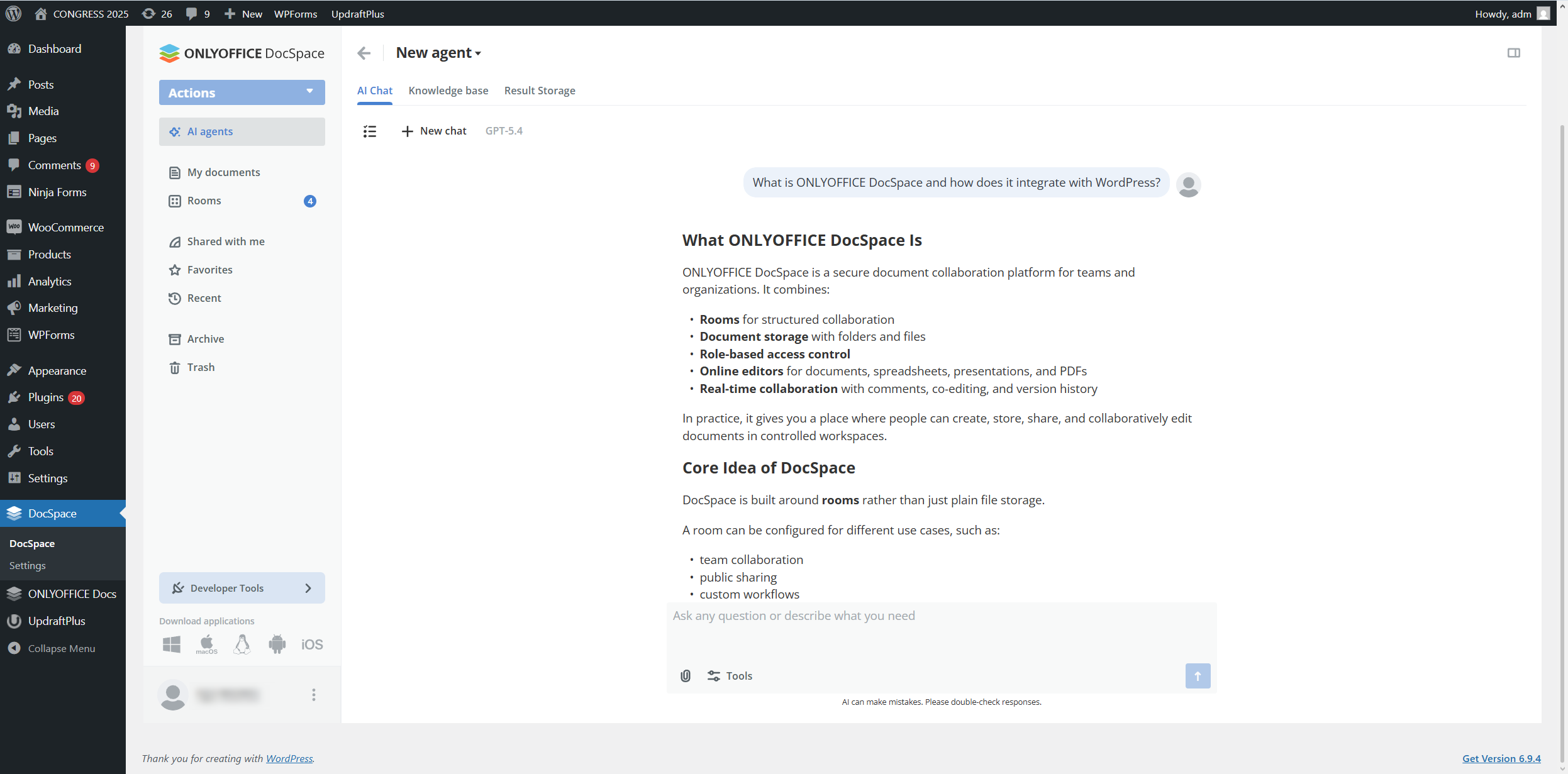
AI agents in DoсSpace are backed by MCP servers. You can activate the ready-to-use ONLYOFFICE DocSpace MCP Server or connect any other MCP server to further enhance its capabilities. Read this blog post to learn more about AI agents and MCP servers in DocSpace.
ONLYOFFICE DocSpace and WordPress: practical use cases
Let’s find out how teams and businesses can use the integration in practice.
Client portals
Agencies, consultants, legal firms and service providers can use WordPress as a client-facing portal with embedded ONLYOFFICE DocSpace rooms. Clients can access proposals, contracts, reports and working documents in one secure place.
Team collaboration hubs
Companies using WordPress for intranets or internal resource sites can embed DocSpace rooms for department-level collaboration. Marketing teams, HR departments, operations staff and leadership groups can work together on documents directly from the internal portal.
Education and training platforms
Educational organizations, coaches and training providers can use the integration to share course materials, collaborative assignments, forms and presentations through WordPress-based learning portals.
Membership and community websites
Membership sites often need a secure way to share resources and enable group collaboration. With the ONLYOFFICE DocSpace integration, WordPress site owners can create members-only spaces for templates, shared planning documents, event materials or group projects.
Project documentation and review
For project-driven organizations, document review is often one of the biggest bottlenecks. Embedding DocSpace rooms in WordPress allows teams and stakeholders to review specifications, timelines, budgets and deliverables in a central location.
Getting started with the integration
If you want to bring the power of ONLYOFFICE DocSpace to your WordPress platform, you need the following:
- WordPress server or its cloud version;
- ONLYOFFICE DocSpace, either the SaaS or self-hosted version;
- ONLYOFFICE DocSpace plugin for WordPress, available on GitHub / Plugin Directory.
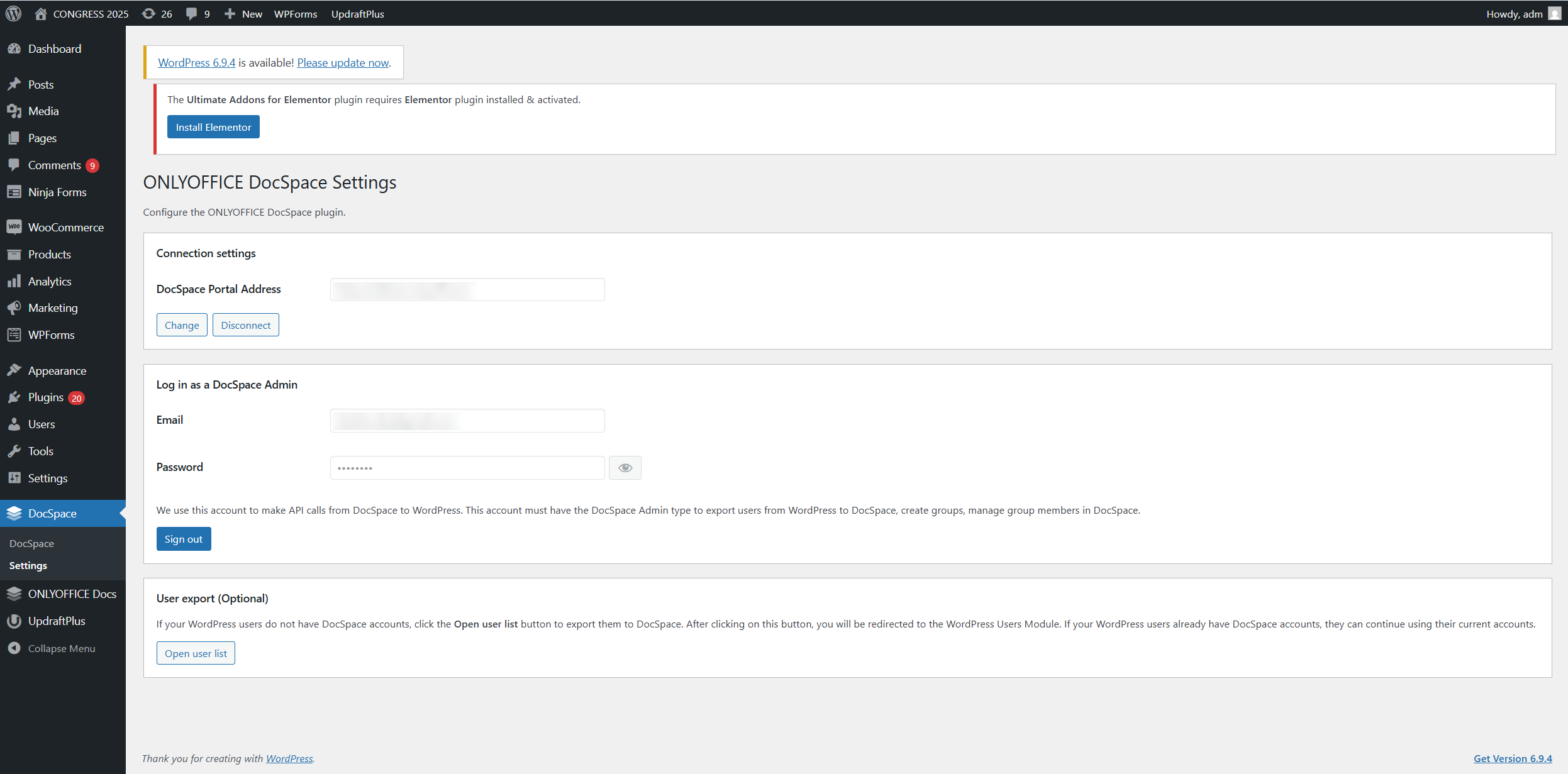
The integration process is quite straightforward — you configure your DocSpace, download the plugin from GitHub, install it in WordPress and set up its settings. For detailed instructions, please refer to this guide in our Help Center.
Final thoughts
The ONLYOFFICE DocSpace integration for WordPress is a smart solution for organizations that want more than basic file sharing. By embedding secure rooms and enabling real-time document work directly through WordPress, teams and businesses can streamline communication, improve productivity and offer a better experience to both internal and external users.
Get ONLYOFFICE DocSpace for your WordPress platform
Ready to turn your WordPress site into a collaborative document hub? Explore the ONLYOFFICE DocSpace integration for WordPress and see how it can help your business share, edit and manage documents more efficiently. Create a free cloud-based account or deploy DocSpace on your local server:
Want to see how this integration works on a real example? Explore our test website and discover how embedded DocSpace documents and rooms provide a flawless user experience.
Useful links
ONLYOFFICE DocSpace: an overview
ONLYOFFICE DocSpace plugin for WordPress: GitHub / Plugin Directory
Create your free ONLYOFFICE account
View, edit and collaborate on docs, sheets, slides, forms, and PDF files online.