ONLYOFFICE Desktop Editors 9.3: multipage view in documents, Box and Dropbox integration, multiple window support for macOS and more
Great news for Windows, Linux and macOS users!
ONLYOFFICE Desktop Editors 9.3 is already available, bringing the new features of its online version to you, including some long-awaited improvements, such as multipage view in documents, Solver in spreadsheets and multiple window support for macOS. Read this blog post to learn more.

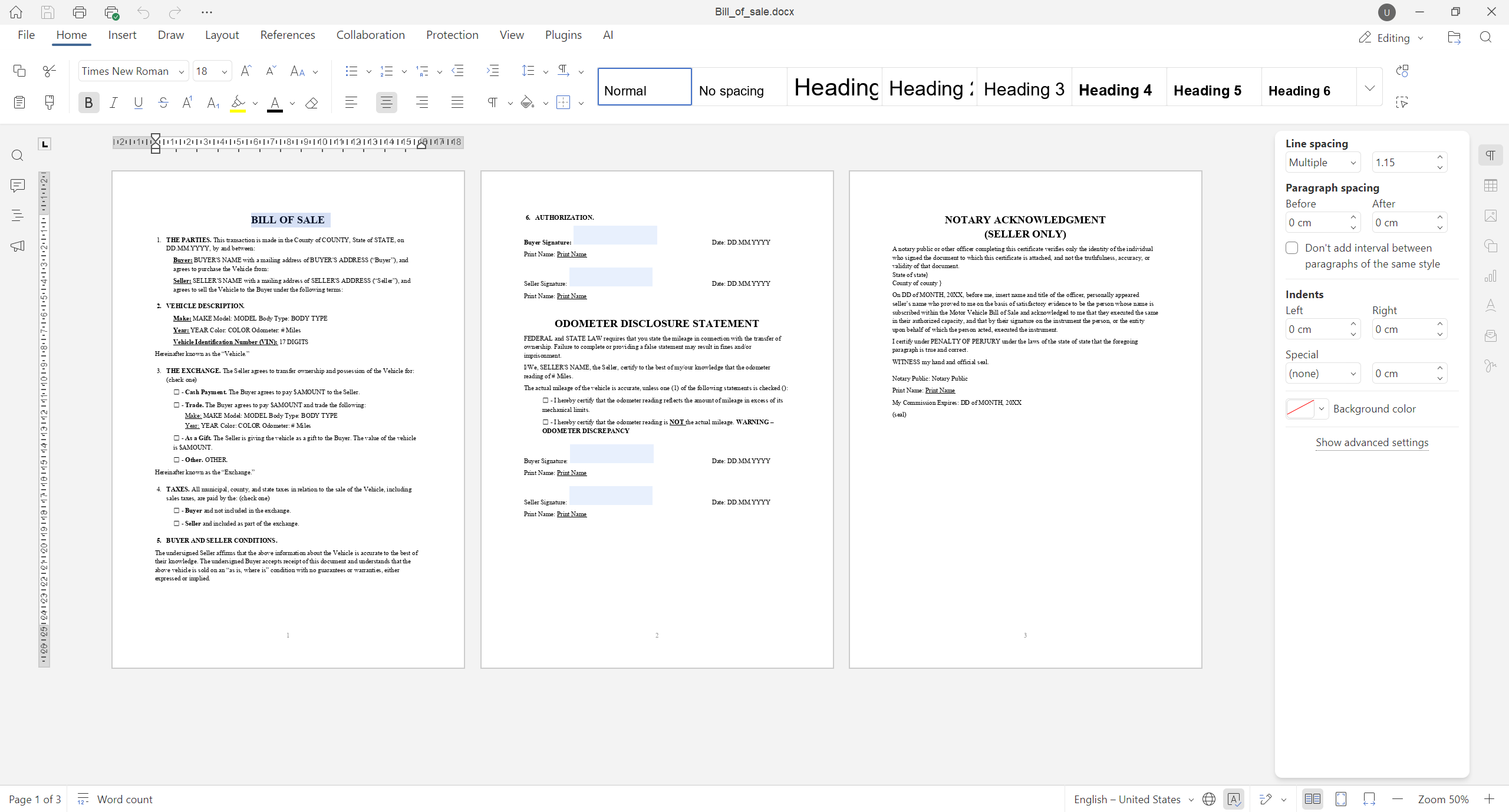
View multiple document pages at once
In version 9.3, working with multi-page documents has become significantly easier, allowing you to view multiple pages side by side.
Where to find: View tab ➙ Multiple Pages / Multiple Pages on the Status bar
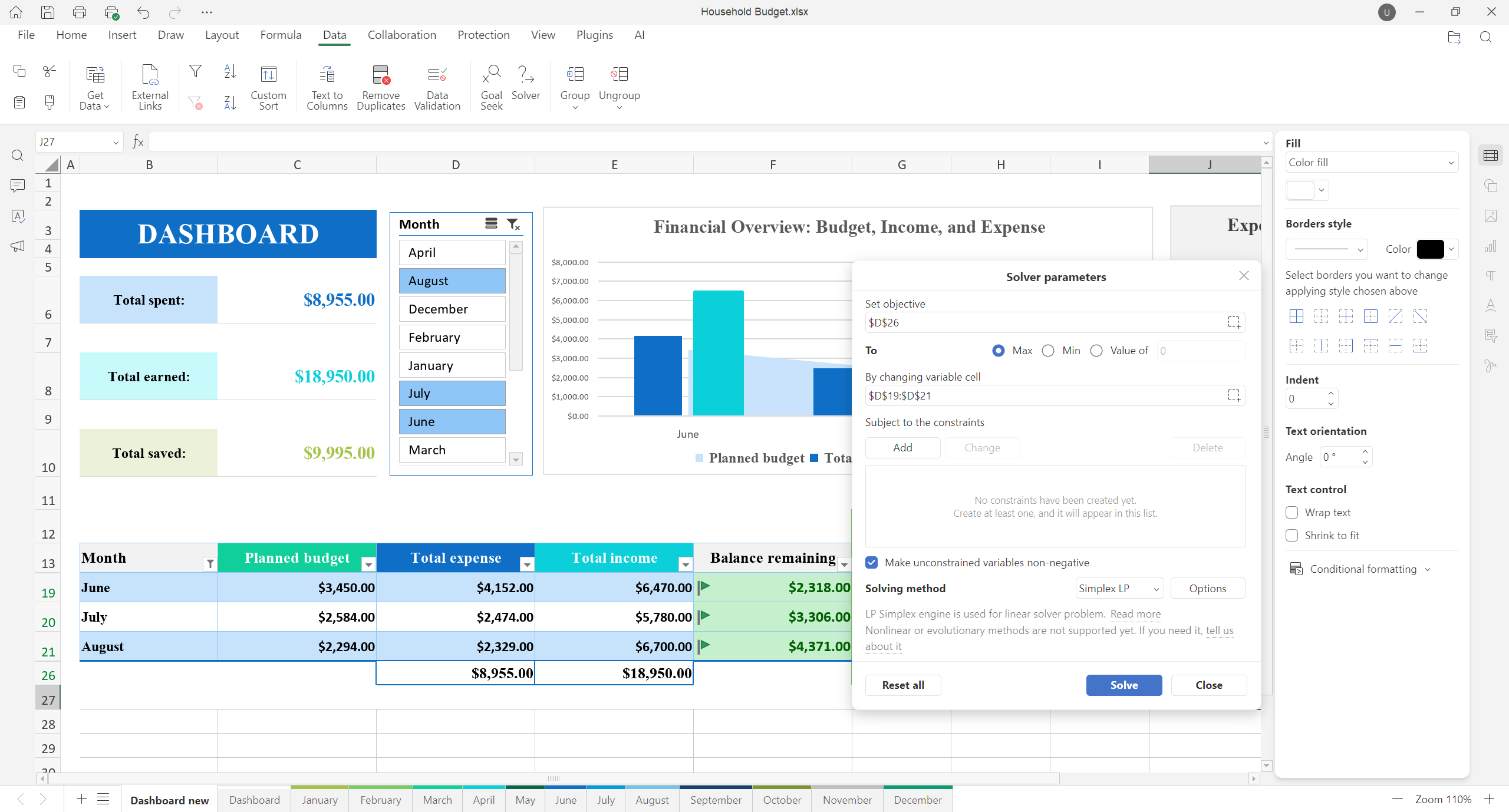
Find optimal solutions with Solver
Use the newly added Solver tool to find an optimal (maximum or minimum) value for a formula in your spreadsheets.
Where to find: Data tab ➙ Solver
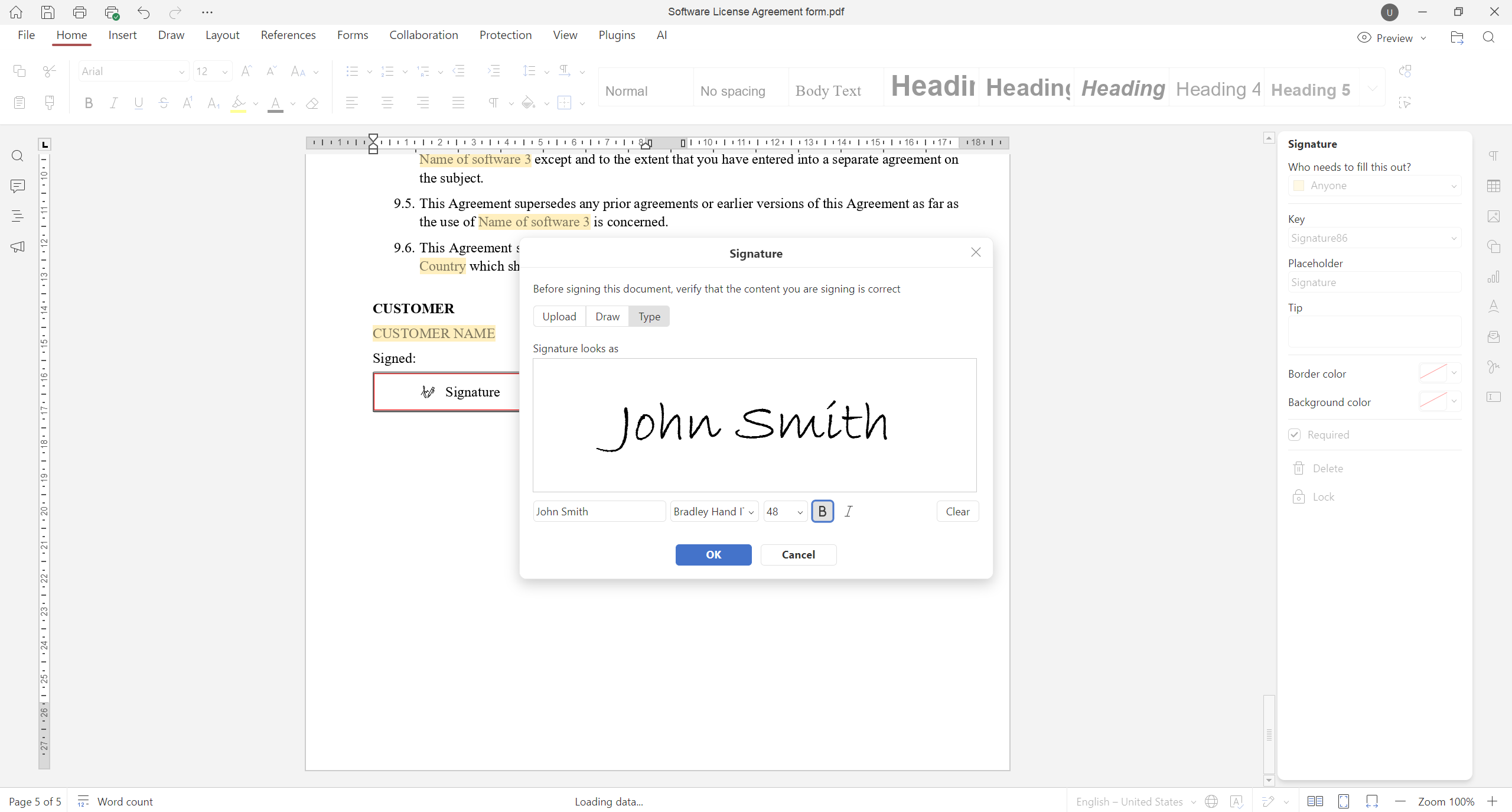
Sign PDF forms
With the updated signature field, signing a PDF form is easier. The recipients of your PDF forms now have access to new signing options, in addition to uploading images:
- Type: Type your signature using the font you like.
- Draw: Draw your signature directly on the screen using a mouse or touch device.
Also, when uploading images, you can now remove the white background to make your signature look more legible.
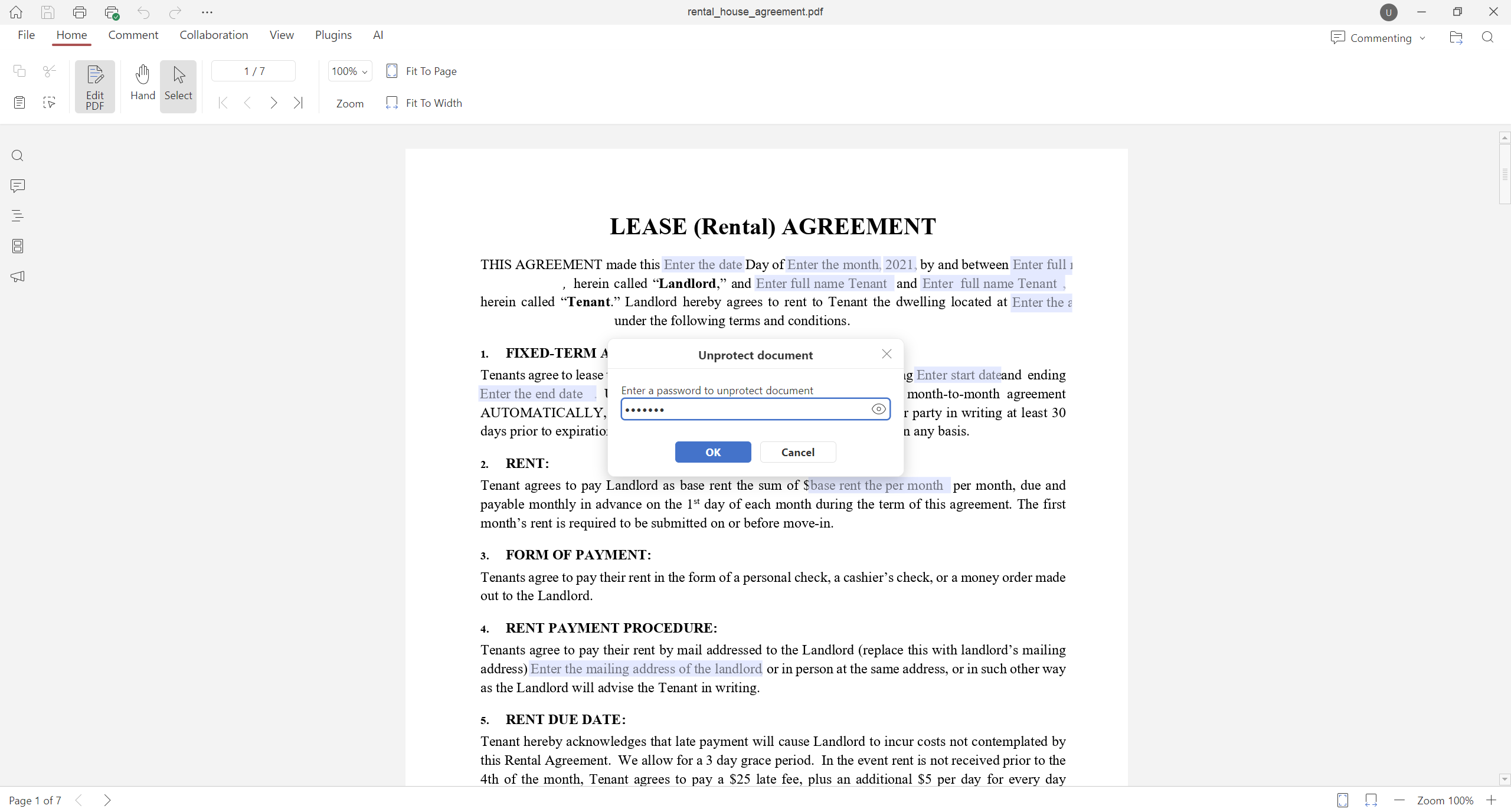
Edit password-protected PDF files
If you need to edit a password-protected PDF, the updated desktop app lets you unlock such a file for further editing. Simply open a locked PDF, switch to Editing mode and enter the required password.
Where to find: Editing mode ➙ Unprotect document
Play GIFs in Slideshow mode
ONLYOFFICE Presentation Editor in the updated desktop app comes with support for GIF animations in slideshow mode, making your slides more dynamic and engaging.
Where to find: Slideshow
Other updates in version 9.3
Here is a brief overview of other important improvements that you will find in ONLYOFFICE Desktop Editors after updating to version 9.3:
- Managing links, editing built-in fonts and macro recording in PDF files;
- Header & Footer tab and enhanced mouse selection in documents;
- Expanded formula library, New Format button and dynamic array support in spreadsheets;
- Adding hyperlinks to images, shapes and groups in docs and sheets;
- Saving files in .md format;
- Opening TSV files (Tab-Separated Values) for viewing and more.
Read this article to learn how all these features work or watch our YouTube webinar for more details:
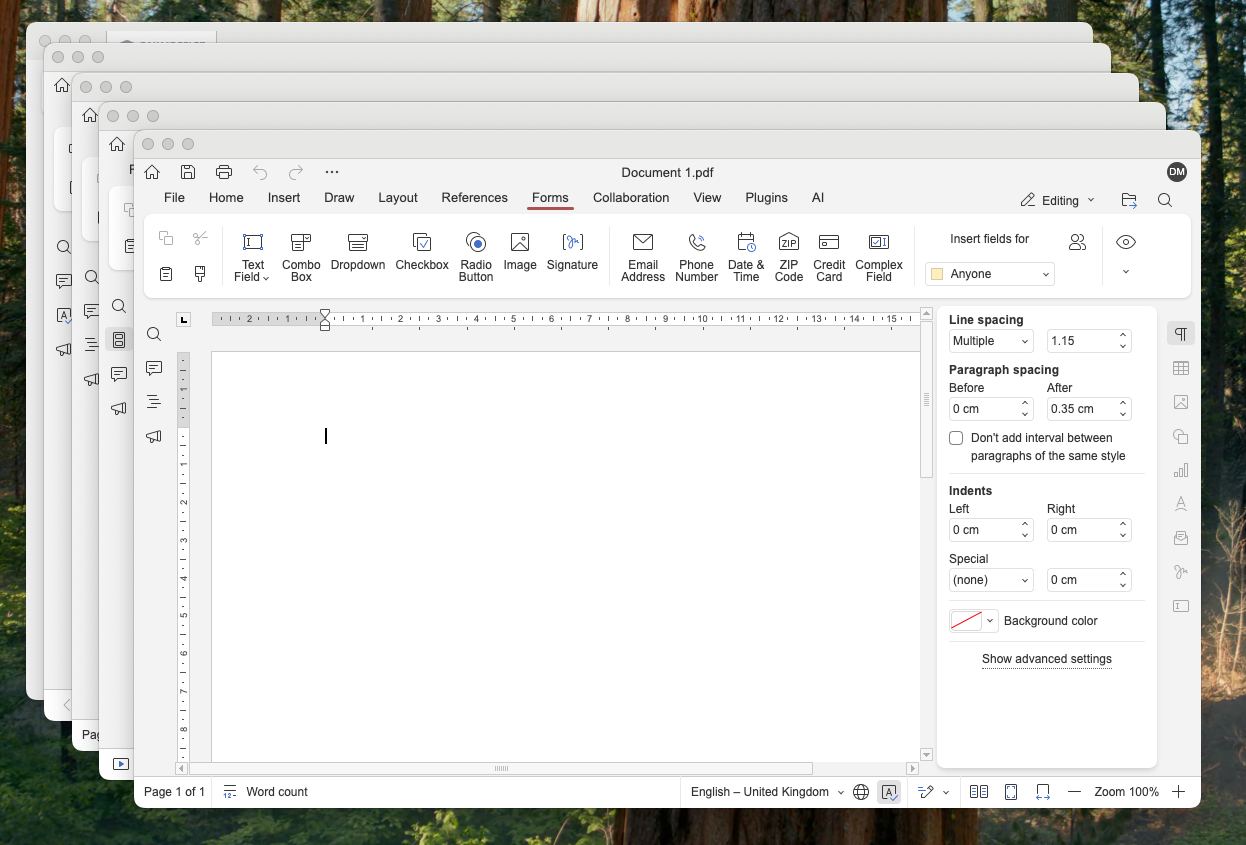
Open files in multiple windows on macOS
With the version 9.3 release, macOS users can now open office files in separate windows, which makes it easier to work with multiple documents, spreadsheets, presentations and PDFs simultaneously.
Where to find: Settings section on the start window ➙ Open file ➙ In its own window / Unpin documents with the mouse without activating this option
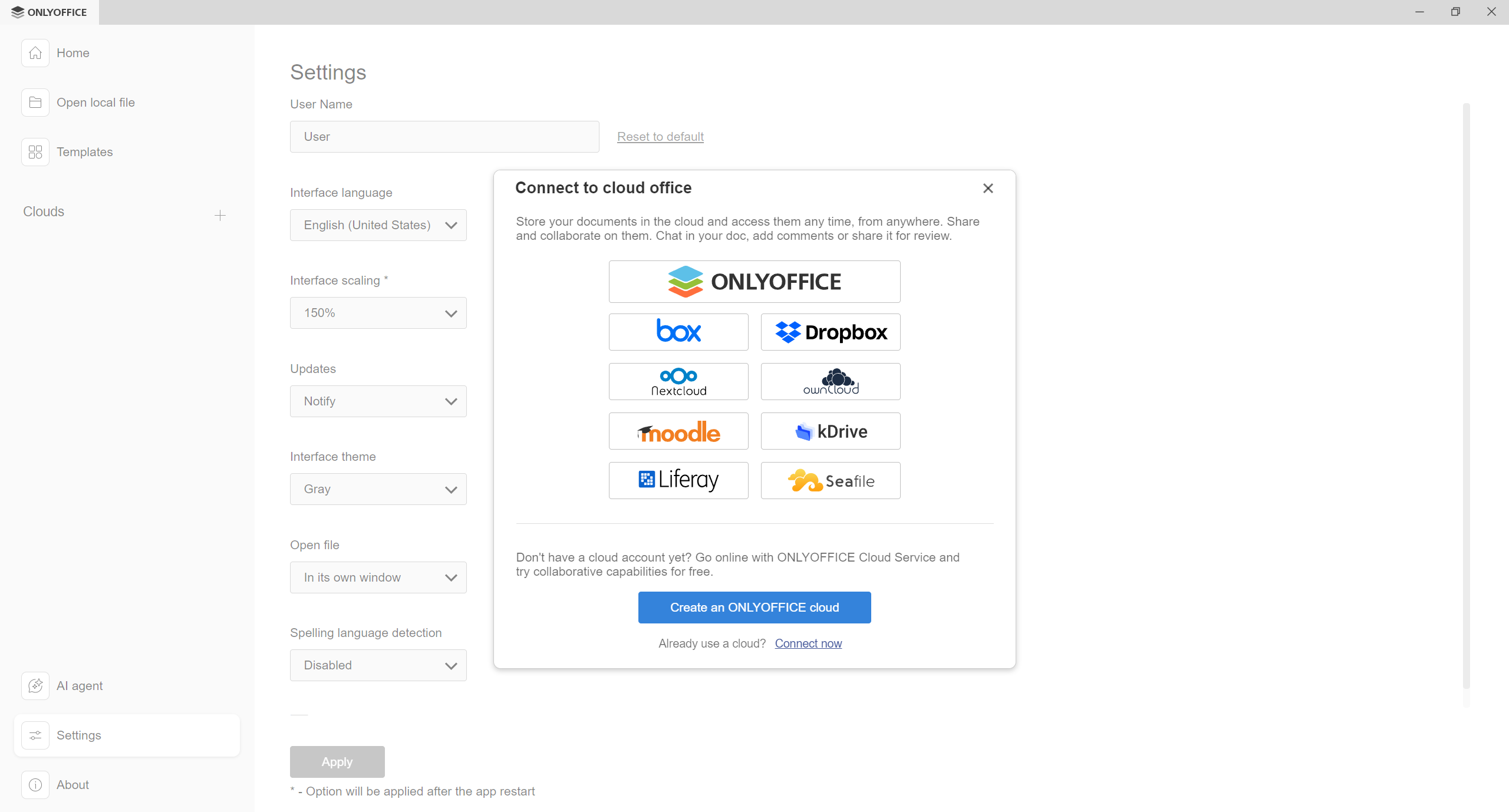
Connect Box and Dropbox as your cloud provider
ONLYOFFICE Desktop Editors 9.3 provides more flexibility when it comes to integration with cloud-based services. Now it supports Box and Dropbox, making it possible to connect these platforms for more convenient file management.
Where to find: Clouds on the start window
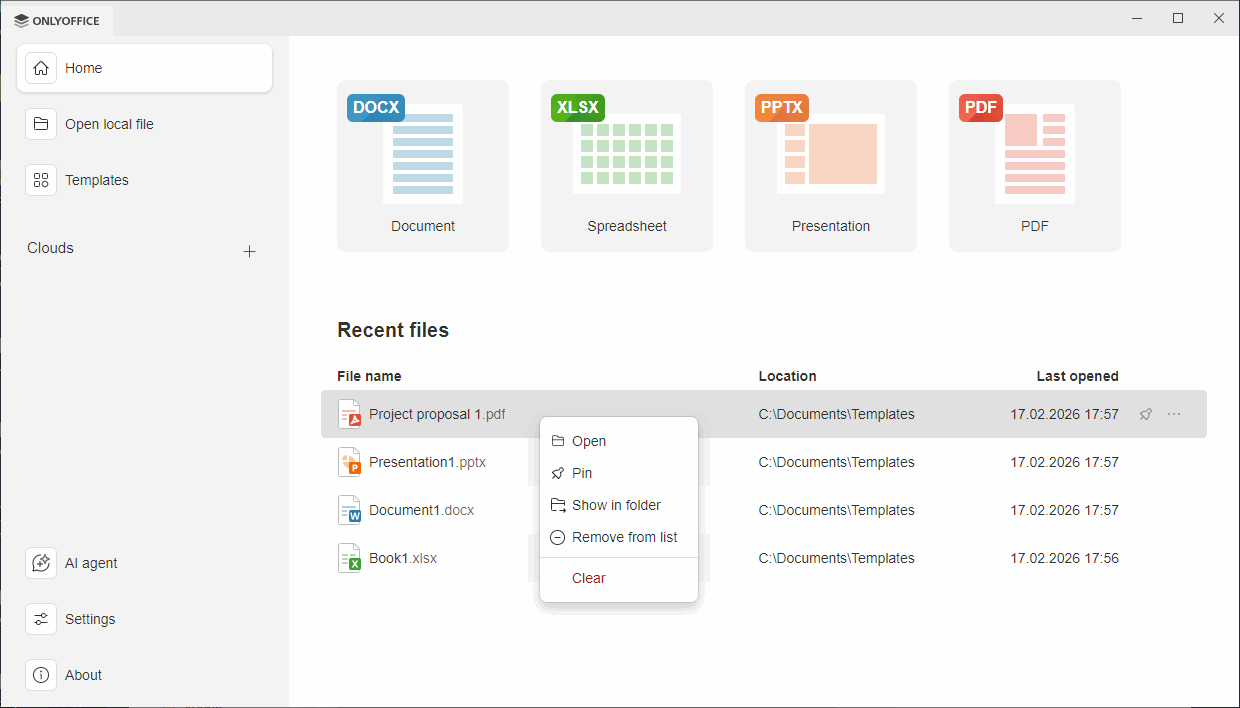
Pin important files and folders on the Start window
Version 9.3 brings one more usability improvement, allowing users to pin their favourite files and folders in the Recent files and Recent folders section for quick access.
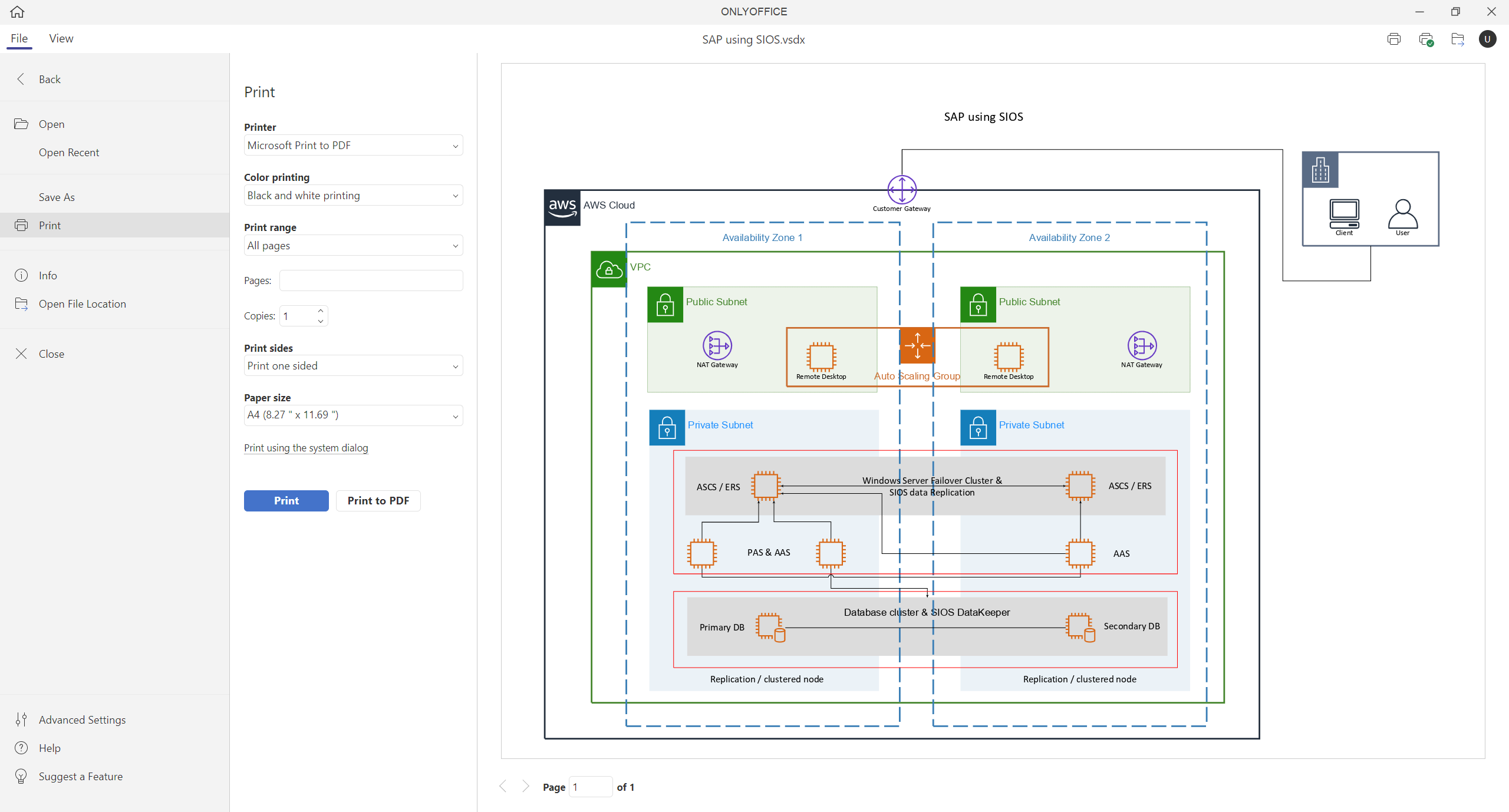
Print Visio diagrams
Printing Visio diagrams has become a breeze in version 9.3. ONLYOFFICE Diagram Viewer comes equipped with a print panel, making it easier to print diagrams with the required parameters.
Where to find: File tab ➙ Print
Get ONLYOFFICE Desktop Editors 9.3
Get the updated version of ONLYOFFICE Desktop Editors for Windows, Linux and macOS from our website and try all the new features:
Share your feedback
Have suggestions and ideas on how to make the ONLYOFFICE editors better? Don’t hesitate to request new features, share comments and come up with new ideas on our feedback platform:
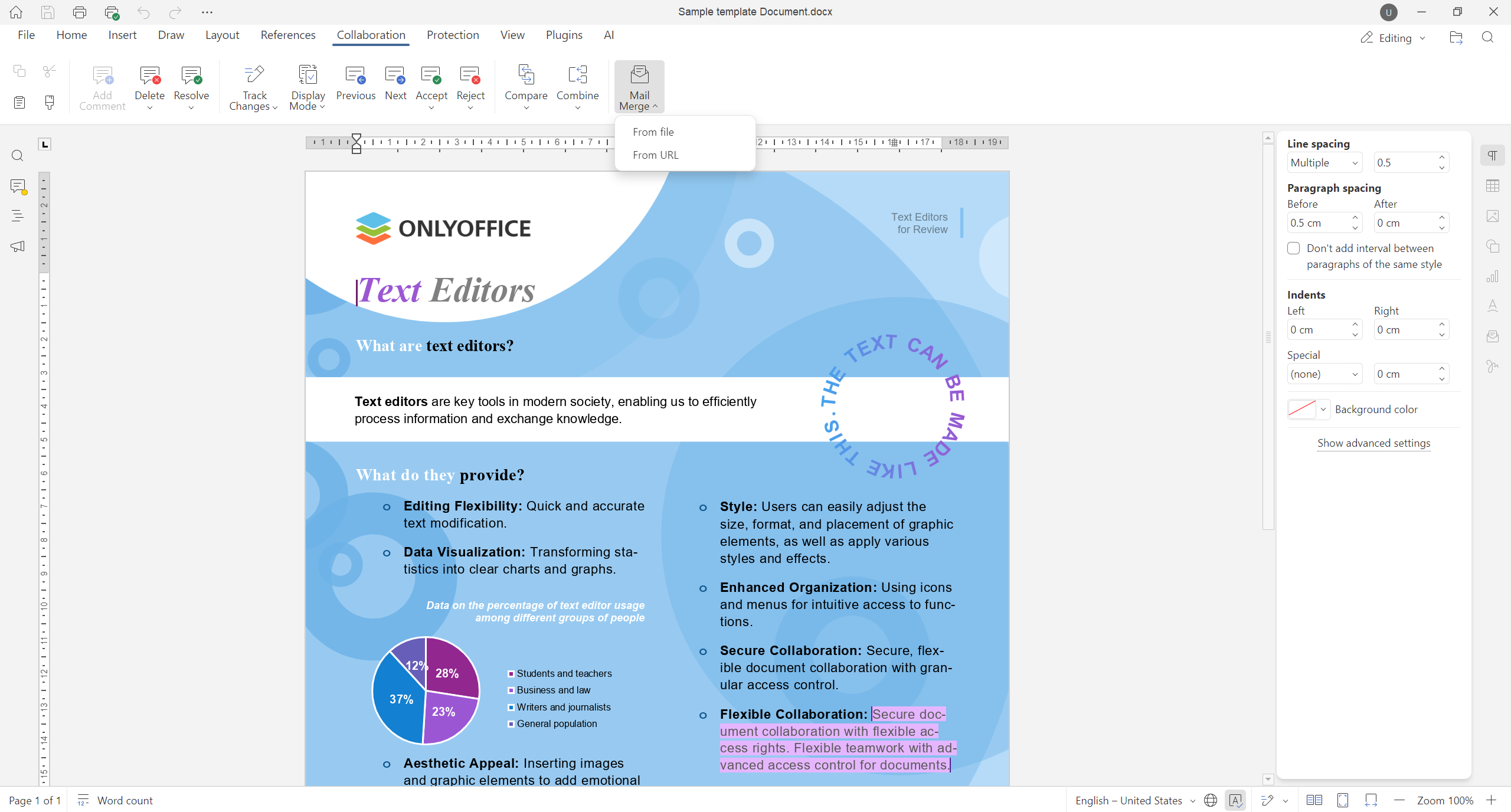
Clue: what comes next?
Interested to know what long-awaited feature will become available in the next hotfix of ONLYOFFICE Desktop Editors? Take a look at the screenshot below:
Stay tuned for other updates and don’t miss a thing!
Create your free ONLYOFFICE account
View, edit and collaborate on docs, sheets, slides, forms, and PDF files online.


